



Gocabish Keeps a Clean Record for Every Trimbakeshwar to Dhule Trip
Documentation and record-keeping aren't glamorous, but they matter a lot when something goes wrong on a 188 km trip. Gocabish keeps complete records.
- Pickup Time Logged Automatically – The moment your driver confirms the pickup in Trimbakeshwar, the system logs the time. There's no manual entry that can be manipulated.
- Route Recorded Throughout – GPS tracking records every turn taken between Trimbakeshwar and Dhule. The full route is stored as part of your trip record.
- Driver Details Available Post-Trip – Even after your trip is done, you can access driver and car details from your booking history for up to 30 days.
- Fare Breakdown Stored – Every item in your fare — base fare, toll, GST — is stored in the booking record and available in your receipt.
- Passenger Feedback Recorded – Your post-trip rating and comments are stored and reviewed. Drivers can see ratings but cannot modify them.
- Incident Reports Documented – Any incident reported during the trip — delay, route change, driver behaviour — is documented on the booking file for review.
- Data Stored Securely – All trip data is stored on secure servers and not shared with third parties. Your travel history stays private.
Background Verified Drivers for Trimbakeshwar to Dhule – Nearly 188 km | Gocabish
Every driver on Gocabish goes through a background check, licence verification, and route training. You know who's picking you up for your roughly 188 km journey.
- Step 1: Enter Pickup in Trimbakeshwar – Safe start. Enter your pickup address clearly.
- Step 2: Enter Drop in Dhule – Safe end. Enter your drop destination with area.
- Step 3: Set Travel Date and Time – Plan your safe trip. Select your date and departure time.
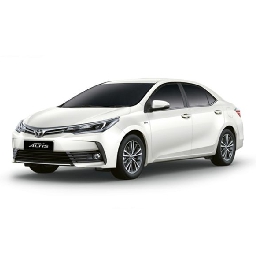
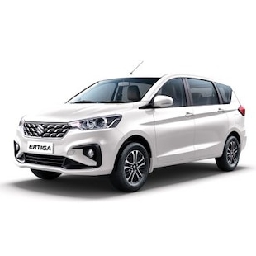
- Step 4: Choose a Car – All driven by verified drivers. Pick Sedan or SUV — both assigned to background-checked drivers only.
- Step 5: Check the Fare – No bargaining, fixed rate. Fare for about 188 km is fixed and shown upfront.
- Step 6: Confirm Your Safe Trip – After booking, you'll see your driver's name, photo, and car number.
Key Info :
After confirming your car rental booking, an SMS and email is sent to your registered number. Driver contact and vehicle details are shared before the trip — important to verify before your ride begins.