


Booking a Gocabish Cab for Shirdi to Sambhaji Nagar? Here's What You're Actually Getting
Behind every 106 km booking confirmation is a series of checks and standards most passengers never see. Here's what runs in the background to keep you safe.
- Driver Assigned Based on Route Match – We don't just assign the nearest available driver. The driver assigned to your trip has handled the Shirdi to Sambhaji Nagar route before.
- Car Assigned Based on Trip Length – Shorter cars are kept for city runs. Your outstation trip gets a vehicle that's serviced for and capable of a 106 km highway journey.
- System Confirmation to Both Parties – The driver gets a trip confirmation too — with your pickup location, time, and destination. No room for confusion at departure.
- Post-Booking Reminder Sent to Passenger – An hour before your trip, you get a reminder with driver details and contact number. So there's no scrambling at pickup time.
- Real-Time Monitoring by Control Team – Your trip is visible on our internal map from the moment it starts. Our team can spot route deviations or unexpected stops.
- Rating System Keeps Standards Up – After every completed trip, passengers rate the ride. Low-rated drivers are reviewed before they're assigned to another outstation booking.
One Way Taxi from Shirdi to Sambhaji Nagar – Pay Only for About 106 km
One-way trips should cost less — and with Gocabish they do. You're not paying for the return journey. Just book, travel roughly 106 km, and you're done.
- Step 1: Your Pickup Address – Where to pick you up in Shirdi? Add your full address with area name.
- Step 2: Your Drop Address – Where to drop you in Sambhaji Nagar? Enter the exact destination. Any address works.
- Step 3: Select Date and Time – When do you need the cab? Choose your departure date and time slot.
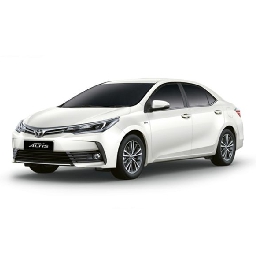
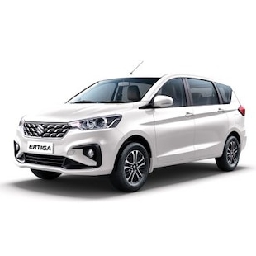
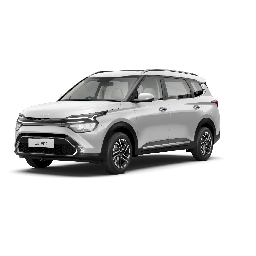
- Step 4: Choose the Right Car – Solo or group? See which car fits your travel — Sedan for 1-3 people, SUV for 4-6.
- Step 5: Review One-Way Fare – No return cost added. The fare shown covers only the nearly 106 km one-way distance.
- Step 6: Confirm Your Booking – One click, done. Book your trip and get driver info instantly.
Safety Tip :
After confirming your car rental booking, an SMS and email is sent to your registered number. Driver contact and vehicle details are shared before the trip — important to verify before your ride begins.