



Women Travelling Alone from Pune to Virar? Here's How Gocabish Adds Extra Safety
Solo travel for women on a 184 km highway route requires specific safety measures. Gocabish has a few protocols specifically for solo women passengers.
- Option to Share Live Location – You can share your full live trip location with up to 3 trusted contacts from the app. They can track the complete route from Pune to Virar.
- Verified Driver Identity Visible Before Pickup – Your driver's photo, name, and car number are shared before they arrive. You can verify the person before you get in the car.
- SOS Button in App – An in-app SOS option is available throughout your trip. One tap alerts our emergency team and shares your current location immediately.
- Driver Conduct Standards Strictly Enforced – Uncomfortable conversations, route deviation, or inappropriate behaviour — all are grounds for immediate driver suspension upon passenger report.
- No Stop Without Your Confirmation – If a driver wants to make an unplanned stop, they must inform you and get your confirmation. Unannounced stops can be reported directly.
- Post-Trip Safety Check-In – After your trip ends in Virar, the app prompts a quick check-in. If you don't confirm safe arrival within a set window, our team follows up.
Book Pune to Virar Taxi in 2 Minutes – Around 184 km Route | Gocabish
Last minute plan? No problem. Booking a cab for your approximately 184 km trip takes under 2 minutes on Gocabish. Driver gets confirmed the moment you pay.
- Step 1: Enter Pickup – Quick — type your pickup location in Pune and move to the next step.
- Step 2: Enter Drop – Type your destination in Virar. The system auto-suggests nearby areas.
- Step 3: Set Departure Time – When do you leave? Select today's time slot or any date in the week. Both work fine.
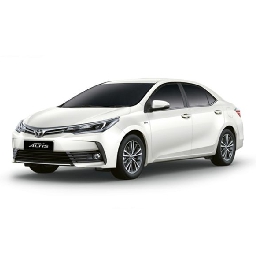
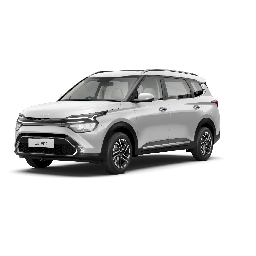
- Step 4: Pick a Car – Choose Sedan for solo travel, SUV for family. Fare shown immediately.
- Step 5: See the Final Price – Your fare for roughly 184 km shows up instantly. No calls, no bargaining.
- Step 6: Confirm in One Tap – Hit confirm and get your driver's details within seconds.
Don't Forget :
After your intercity cab is confirmed, a detailed SMS and email is sent to your phone. Your driver's contact is shared before the journey — it's important to have this number ready when you travel.