


Responsible Driving on Pune to Bhiwandi – What Gocabish Expects from Every Driver
A professional driver on a 154 km route needs more than just a licence. Gocabish sets clear driving standards and monitors them consistently.
- No Phone Use While Driving – Using a mobile phone while driving is a strict violation at Gocabish. Passengers can report this and the driver is immediately suspended.
- No Drinking or Smoking During Trip – Zero tolerance on both counts. Drivers found violating this are removed from the platform regardless of their history with us.
- Seat Belt Worn at All Times – Drivers must wear a seatbelt throughout the trip. Passengers are encouraged to buckle up, and the driver is required to remind them.
- No Aggressive Overtaking – Highway overtaking must follow traffic rules. Reckless overtaking reported by a passenger leads to an immediate driving conduct review.
- No Unauthorised Stops – Drivers cannot stop to pick up food, run errands, or make personal calls during your trip. Your time on the road is your time.
- Polite Communication Required – Drivers are trained to be polite and professional. Passengers don't have to tolerate rude behaviour — reporting it has real consequences.
- Speeding Complaints Investigated Seriously – Any passenger complaint about overspeeding is reviewed against GPS data. If confirmed, it affects the driver's ability to take future outstation trips.
Economy to Premium Cabs for Pune to Bhiwandi – About 154 km | Gocabish
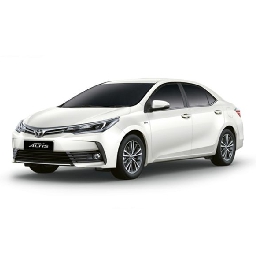
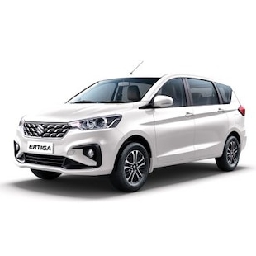
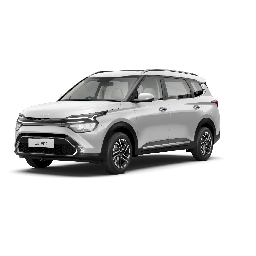
Travelling alone? Going with family? Need an SUV for bags? Gocabish has the right car for your nearly 154 km trip. Pick what suits you.
- Step 1: Add Pickup in Pune – Where to find you. Enter your pickup address or area.
- Step 2: Add Drop in Bhiwandi – Where to take you. Enter your destination with area or landmark.
- Step 3: Select Travel Date – Your schedule. Choose the date and time you're travelling.
- Step 4: Pick Economy or Premium – Your budget, your call. Hatchback for tight budgets, Sedan for everyday comfort, SUV for space.
- Step 5: Compare Fares – See fares for all available cars for roughly 154 km at once.
- Step 6: Confirm Your Choice – Select your car, confirm, and get driver details on your phone.
Post Booking :
After confirming an outstation cab, you'll get a detailed confirmation on your mobile and email. Driver contact and vehicle details are shared before the trip — very important for overnight or multi-day journeys.