




Booking a Gocabish Cab for Vasai to Pimpalner? Here's What You're Actually Getting
Behind every 331 km booking confirmation is a series of checks and standards most passengers never see. Here's what runs in the background to keep you safe.
- Driver Assigned Based on Route Match – We don't just assign the nearest available driver. The driver assigned to your trip has handled the Vasai to Pimpalner route before.
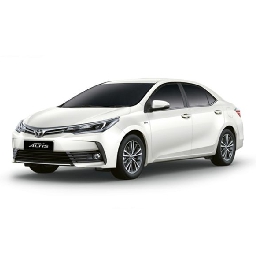
- Car Assigned Based on Trip Length – Shorter cars are kept for city runs. Your outstation trip gets a vehicle that's serviced for and capable of a 331 km highway journey.
- System Confirmation to Both Parties – The driver gets a trip confirmation too — with your pickup location, time, and destination. No room for confusion at departure.
- Post-Booking Reminder Sent to Passenger – An hour before your trip, you get a reminder with driver details and contact number. So there's no scrambling at pickup time.
- Real-Time Monitoring by Control Team – Your trip is visible on our internal map from the moment it starts. Our team can spot route deviations or unexpected stops.
- Rating System Keeps Standards Up – After every completed trip, passengers rate the ride. Low-rated drivers are reviewed before they're assigned to another outstation booking.
Cab from Your Doorstep in Vasai to Pimpalner – Nearly 331 km
Forget going to a taxi stand. Your Gocabish driver comes to your address in Vasai and drops you directly to your destination in Pimpalner. The whole trip covers close to 331 km.
- Step 1: Your Home Address in Vasai – Door pickup. Enter your house number, street name, and area. The driver will come right to your door.
- Step 2: Drop Address in Pimpalner – Door drop. Enter where exactly you need to be dropped — home, office, or any location you prefer.
- Step 3: Choose Your Date and Time – Pick your slot. Select when you want the cab at your doorstep. You get a confirmation immediately.
- Step 4: Select Your Vehicle – Pick a car based on how many people are travelling and how much luggage you have.
- Step 5: Review the Fare – Full fare visible before you pay. The trip is about 331 km — no meter running, no surprise bill at the end.
- Step 6: Confirm the Booking – All done. Confirm and get your driver's name, car model, and number on your phone.
Before Your Journey :
After scheduling your cab pickup, confirmation reaches your mobile and email instantly. Your driver's contact number and vehicle details are shared in advance — do not skip this message.