


Group Travel Safety from Nashik to Virar – How Gocabish Manages It
Travelling in a group for 172 km needs a different set of preparations. Gocabish handles group bookings with specific vehicle and driver requirements.
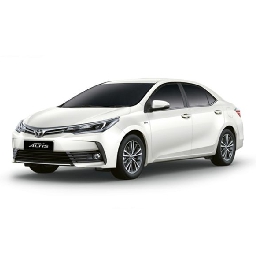
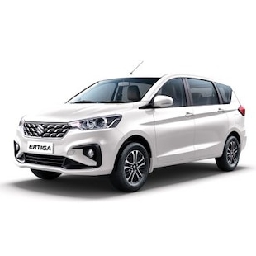
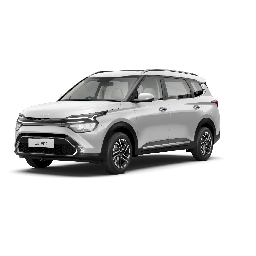
- Right Vehicle for Group Size – Group bookings are matched to cars with adequate seating. We don't squeeze 6 people into a 5-seater — if it needs an Innova or Tempo Traveller, that's what gets assigned.
- Luggage Space Confirmed at Booking – For group trips, luggage details are captured at booking and matched to a vehicle with sufficient boot space. No surprises at pickup.
- Experienced Driver for Large Vehicles – Larger vehicles like Innova or Tempo Traveller require more driving experience. We assign drivers with specific training for these vehicles.
- No Overloading Under Any Circumstances – Every passenger must have a proper seat with a seatbelt. Overloaded vehicles are a safety risk and a legal violation — we don't allow it.
- Group Booking Contact Person – One point of contact from the group is registered with the driver and our support team. Communication is channelled through them to avoid confusion.
- Rest Stops Factored Into Schedule – For large groups on a 172 km trip, rest stops are built into the estimated travel time. The driver knows where they are.
- Multiple Emergency Contacts Allowed – Group bookings can list two emergency contacts. Both are notified at trip start and available to contact if needed during the journey.
Instant Cab Confirmation for Nashik to Virar – Around 172 km | Gocabish
No waiting, no calls. Book your approximately 172 km cab online right now and get your driver details within minutes of confirming the trip.
- Step 1: Type Pickup in Nashik – Start typing your area and select from the suggestions.
- Step 2: Type Drop in Virar – Same here — type and select your destination.
- Step 3: Choose Time – Pick date and time. Done in seconds.
- Step 4: Select a Car – Tap on a car type and see the fare for roughly 172 km right away.
- Step 5: Review Total – Everything included — check the total before moving to payment.
- Step 6: Confirm Now – Hit confirm and your driver is assigned immediately.
Smart Tip :
After your car rental booking is confirmed, an SMS and email is sent with trip details. Driver contact and vehicle number are shared before the ride — save these, they matter during your journey.